Pro guide
Make long bedtime-story videos for YouTube with Claude Code and Papermotion
Updated
To make a long bedtime-story video, make short stories one at a time with Claude Code and Papermotion, voice them with a free narrator that runs on your own computer, then join them into one video with a chapter per story. Our demo has three stories and runs 2:30. An hour is 67 stories; we haven't made a full hour. Each story took a Claude session of 50 to 60 minutes, renders included, so 67 stories made one after another would be 56 to 67 hours. Running two at a time, as we did, the renders alone would fill about 17 hours of clock time. On top of that comes your own time to watch each story and ask for changes.
Claude Code wrote the two new stories and their animation from one-line prompts. Joining the three took 11 seconds. We used our existing Claude plan and server and paid nothing else: no voice service, no image or video model, no stock music. Each story does use part of the plan's usage, and the server's running cost isn't counted. The kit with the tools and the three stories is $12 at launch ($29 regular).
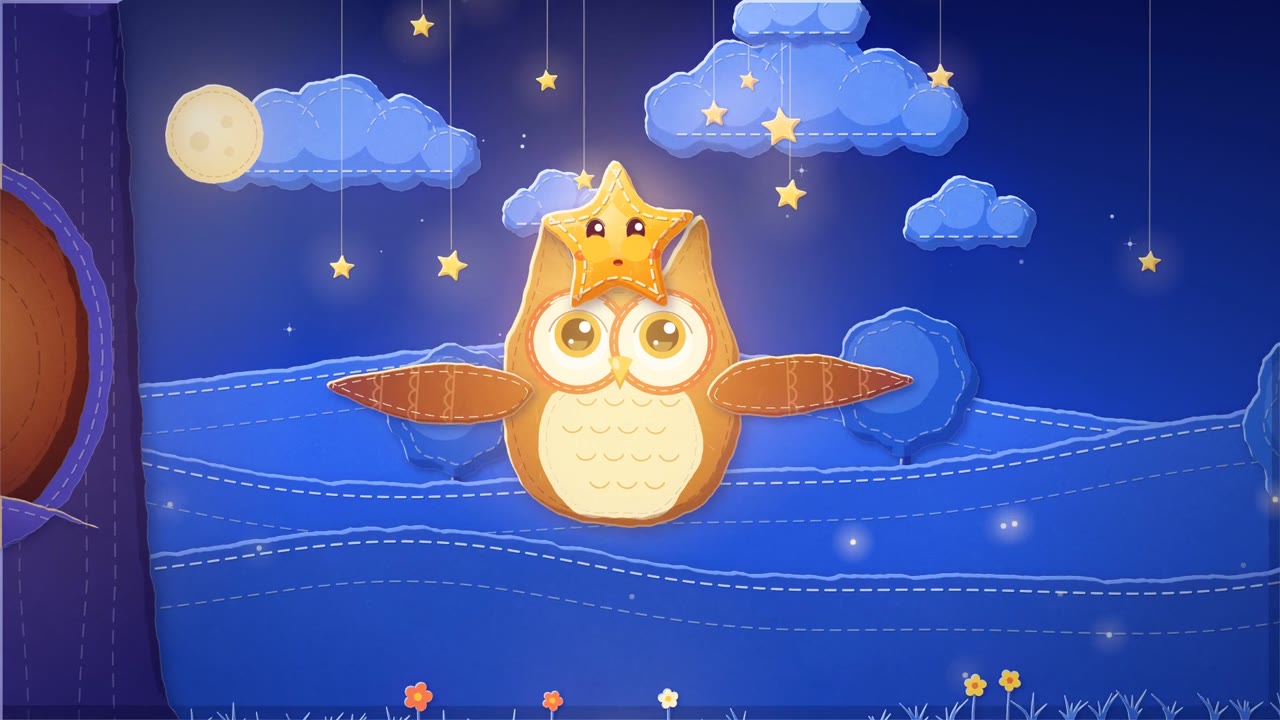
Watch it (1080p, 2:30, with sound):
The chapter list our join tool wrote for the YouTube description:
0:00 Dot and Owl
0:42 Little Boat
1:36 Bramble's Warm Bed
On our server one second of film took 26 to 55 seconds to render (the maths is in step 7). We tested the join tool once at 1:00:12, by joining 86 copies of the same chapter. That shows it can make an hour-long file; we did not test an hour of different stories.
How people make these, and what we changed
Many long bedtime videos on YouTube are compilations: several stories in one upload with a timestamp per story. A "6HRS Bedtime History Stories" video joins 9 stories, and 3-hour and 4-hour sleep-story compilations list one timestamp per story in the description. The AI pipelines people share go story, then scenes, then voice, then assembly. An n8n template has Claude write and split the story, then pays four services for images, clips, voice and editing. We kept the same order and swapped every paid step for a free one that runs on our computer.
The pictures come from Papermotion (MIT), an engine where every character and set is drawn by code as torn paper, and Claude writes that code. The voice is Kokoro-82M (Apache-2.0). It needs no graphics card: Ariya Hidayat timed a short paragraph at 1.5 to 4.7 seconds on three ordinary CPUs.
What is in the kit
- The Papermotion project with our three stories, each with its beats, narration lines and soundtrack code.
- A Claude skill,
/next-story: give it an idea and Claude makes a finished chapter, from the story text to the rendered film with its narrator. - Four small Python tools:
voice.py(the narrator),finish.py(title card and mix),join.py(one long video at -16 LUFS, chapter list, subtitles) andcheck.py(Whisper listens to the finished video and compares it with the scripts). - The prompts we typed, a YouTube upload checklist, a README and the licence of every part.
What you need
- Claude Code on a paid Claude plan. We used Claude Code 2.1.312 with Claude Opus 5.5.
- Node.js 22.18 or newer (Papermotion's minimum) and pnpm. We had Node 22.23.4 and pnpm 11.21.0.
- FFmpeg. We had 6.1.1.
- Python 3.10 or newer. We had 3.12.3.
- About 1.8 GB of disk for the tools and models (on ours: Python packages 525 MB, Kokoro 338 MB, Whisper 464 MB, Chromium 273 to 403 MB, Node packages 85 MB), plus about 50 MB per finished story (4.2 GB per hour of video).
Everything ran on a Linux server with 8 CPU cores, 15 GB of RAM and no graphics card. The commands below are for Linux; we didn't test them on macOS or Windows.
Step 1: Set up the project
The kit's download link is in the unlock box on this page. Unzip it and run this in the bedtime-stories folder:
pnpm install
npx playwright-core install chromium
python3 -m venv .venv
.venv/bin/pip install -r bedtime/requirements.txt
mkdir -p bedtime/kokoro
curl -L -o bedtime/kokoro/kokoro-v1.0.onnx https://github.com/thewh1teagle/kokoro-onnx/releases/download/model-files-v1.0/kokoro-v1.0.onnx
curl -L -o bedtime/kokoro/voices-v1.0.bin https://github.com/thewh1teagle/kokoro-onnx/releases/download/model-files-v1.0/voices-v1.0.bin
pnpm typecheck && pnpm test
The two model files are 325 MB and 28 MB. Chromium was already on our server, so we didn't need the playwright-core install line; it is the one from Papermotion's README.
What is included?
- The Papermotion project with our three finished stories (Dot and Owl, Little Boat, Bramble's Warm Bed), ready to render
- A Claude skill (SKILL.md): type /next-story and an idea, and Claude makes the next chapter
- voice.py: free local narrator (Kokoro) that checks every line fits and listens back with Whisper
- finish.py: title card, narrator over the music, the same loudness for every story
- join.py: joins stories into one video at -16 LUFS and writes the YouTube chapter list and subtitles
- check.py: Whisper listens to the finished video and lists any word that differs from the script
- The prompts we typed, and how to write your own
- YouTube checklist: titles, made for kids, chapters, subtitles, AI disclosure
- README with every step and LICENSES.md
Access terms as of October 2026.
You're one of the first 150. Open this guide free with your email.
Lost your link?
Enter the email you used for access. Your existing links keep working.
Questions people ask
Can I make a full 1-hour video this way?
Yes, but we only tested the joining step at a full hour; our finished demo is 2 minutes 30 seconds. With chapters like our two new ones (54 seconds each, 48 of them film) an hour is 67 stories, and rendering is the slow part. On our 8-core server with no graphics card one second of film took 26 to 55 seconds to render, so an hour would take about 17 hours of rendering with two renders at a time, plus drafts. Counting Claude's work around the renders, each story was a 50 to 60 minute session, and each needs a person to watch it. The join step is quick: our one-hour test join took 4 minutes 12 seconds.
Is the narrator voice free to use on a monetized channel?
Yes. Kokoro-82M runs on your own computer, its weights are Apache-2.0 and the runner we used (kokoro-onnx) is MIT. There is no account and no per-use fee.
Should I answer Yes to YouTube's AI use question?
We would answer Yes, because the narrator is a synthetic voice that sounds like a real person. YouTube says a Yes can show a label, for example in the expanded description and, per the same page, does not limit the audience or the video's eligibility to earn money.
Should I set the video as made for kids?
For these stories, yes: they are written for children aged 3 to 6, and YouTube lists stories for children and animated characters as signs of made-for-kids content. That setting turns off comments, personalised ads, end screens and the miniplayer.
Do I need a graphics card?
No. Everything in this guide ran on a server with an 8-core CPU and no GPU: the renders, the Kokoro voice and the Whisper check.
Get the 16 prompts, free
The Builder's Prompt Pack: copy-paste prompts to plan, build and launch real things with AI, sent to your inbox.
Get the AI news by email
Once a week, News Desk sends the AI stories that mattered, in plain words, with links to the sources.