Free guide
Make an 18-second motion graphic with Claude Code and HyperFrames
Updated
This is the clip we made: an 18-second animated explainer of the UK four-day week trial, with numbers that count up, a grid of 61 companies and a burnout bar. Claude Code wrote all of it from three short prompts. Claude worked for about 9 minutes in total, and setup took 8 seconds. It cost nothing beyond the Claude plan we already pay for.
Full clip (1080p, 18 s, silent):
The tool doing the rendering is HyperFrames by HeyGen. The clip is a web page: HTML, CSS and GSAP animations. HyperFrames plays that page in a headless browser frame by frame and saves an MP4.
Why HyperFrames and not Remotion
Most of the Claude Code motion graphics tutorials we found use Remotion (this one, for example, or this one). It works well, but its licence is not open source: individuals, non-profits and for-profit companies with up to 3 employees use it free, and bigger for-profit companies need a paid Company License. HyperFrames is Apache-2.0 and was built for AI agents, so it installs its own Claude skills and has a check command Claude uses to catch layout and contrast problems before rendering. We also looked at Papermotion (MIT). It is a paper-cutout film engine made for short stories, so we kept it for story films and used HyperFrames for numbers.
What you need
- Claude Code on any paid Claude plan. We used Claude Opus 5.5.
- Node.js 22 or newer. We had v22.23.4.
- FFmpeg. We had 6.1.1.
- Some free disk space: the first render downloads its own headless Chrome (about 261 MB on our server).
No HeyGen account is needed. The video renders on your own computer, though Claude Code still sends your prompts and the project files it reads to Claude, as it always does. HyperFrames has a publish command that uploads it for a share link; we never ran it.
Step 1: Make the project
Open a terminal in the folder where you keep projects and run:
npx -y hyperframes@0.8.221 init stats-clip --non-interactive
This took 8 seconds. It made a stats-clip folder with a blank 1920x1080 composition and a CLAUDE.md, and it copied four HyperFrames skills into your Claude skills folder. We pinned version 0.8.221 so you get the same thing we got; npx hyperframes init stats-clip gets you the latest.
Step 2: Open Claude Code in the project
cd stats-clip
claude
Start Claude Code after init, not before. Skills load when a session starts, and init is what installs the HyperFrames skill. Our session was already open, so we told Claude to read hyperframes/SKILL.md from the skills folder, and it worked the same way.
Step 3: Ask for the clip
Pick numbers you can stand behind and give Claude the source. This is the exact prompt we typed:
Using /hyperframes, make an 18-second motion graphic about the UK four-day week trial. 61 companies tried it for 6 months, 56 kept it, 71% of staff said burnout went down, and revenue rose 1.4% on average. Source: Autonomy, Feb 2023. Count the numbers up, keep it clean and readable.
Two phrases in that prompt are looser than the source ("56 kept it" and "revenue rose 1.4% on average"), and Step 5 shows how that came back to bite us. If you reuse it, write "56 said they would keep it after the trial" and "average revenue rose 1.4% across the 23 companies that shared revenue data".
Claude took just under 6 minutes. It read the skill, wrote three possible storylines to STORYLINES.md and built the first one: a Monday to Friday row where Friday turns into "Off", then the numbers. It split the clip into six small HTML files in compositions/: one per scene, plus one for the source line.
Then it ran the checker on its own work:
npm run check
The first check passed with 6 warnings: a word too faint to read while it faded in, three day labels on screen for less than 2 seconds, one animation lint warning, and "film is silent". Claude fixed all of them except the silent one, which we wanted. It then took still frames and looked at them:
npx hyperframes@0.8.221 snapshot --at 0,0.5,2.6,4,5.2,7.5,9.5,11.5,14.5,17.5
From those frames it fixed three more things on its own: a blurry first frame (bad as a thumbnail), company squares too small to read, and a "0" that popped in at a cut with no animation. Then it rendered.
Step 4: Watch it and send one round of notes
To watch it in the browser:
npm run dev
It starts a preview server at http://localhost:3002; open that in your browser. Stop it later with npx hyperframes preview --stop.
Our first version had two things we didn't like. The 5 grey squares (the companies outside the 56) were scattered around the grid, which made you hunt for them. And the last screen used only the left half of the frame. So we typed:
Looks good. Two fixes: put the 5 grey squares together at the end of the grid, not scattered. And the last screen feels empty on the right, make it bigger so it fills the frame.
That round took under a minute, render included.
Step 5: Check every number against the source
Read every line on screen next to your source. We hadn't done that properly, and two labels were wrong. Our first prompt said "56 kept it" and "revenue rose 1.4% on average", and Claude turned those into "kept the four-day week" and "revenue rose, on average, across the companies". The source is narrower. The 56 companies said they would keep the four-day week after the trial. The 1.4% is the average for the 23 companies that shared revenue data, not all 61. The fault was in our prompt, and Claude built on it. So we typed:
I checked the source. The 1.4% revenue rise is the average for the 23 companies that shared revenue data, not all of them. And the 56 companies said they would keep the four-day week after the trial. Fix the labels so every line on screen matches that exactly. The 5 grey squares are just the other 5, don't say what they did.
Claude rewrote the labels, and the longer closing line needed more reading time, so it moved the scene timings itself to keep the clip at 18 seconds. The checker also caught "four-day" splitting across two lines, which it fixed. This round took 1 minute 38 seconds.
Step 6: Render the MP4
Claude renders when it finishes, but you can render any time yourself:
npm run render -- --output renders/four-day-week.mp4
Ours: 540 frames, 1920x1080, 30 fps, 18 seconds, 1.3 MB. The render took 12.9 seconds on a server with no graphics card.
Step 7 (optional): Cut a short loop for a website or a post
We used FFmpeg to cut muted 720 px loops from the final clip. This one is the company grid, from 2.4 s to 9 s:
ffmpeg -ss 2.4 -t 6.6 -i renders/four-day-week.mp4 -an -vf scale=720:-2 -c:v libx264 -pix_fmt yuv420p -crf 24 -preset slow -movflags +faststart loop-grid-count.mp4
It came out at 104 KB.
The result
Five scenes in 18 seconds, with the source on screen the whole time:
- 0 to 2.6 s: "The UK tried a four-day week" over a Mon to Fri row; Friday turns into an orange "Off".
- 2.6 to 8.2 s: 61 squares fill in as the count runs to 61 ("companies tried it, for 6 months"), then 56 turn orange as a second count runs to 56 ("said they would keep the four-day week after the trial").
- 8.2 to 11.8 s: "71%" counts up beside a bar filling to 71, "of staff said burnout went down".
- 11.8 to 14.8 s: "+1.4%" counts up to one decimal, "average revenue rise across the 23 companies that shared revenue data".
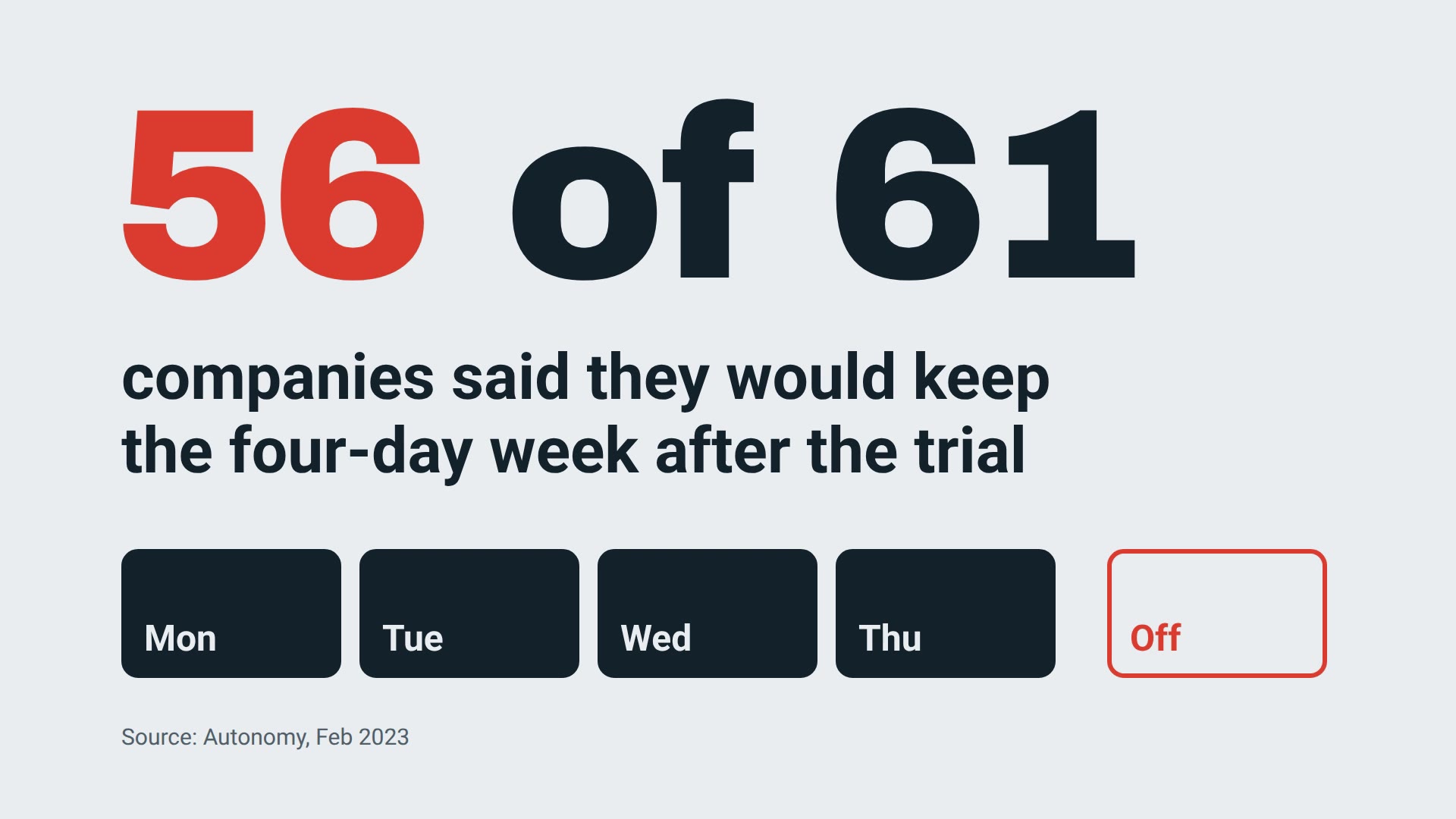
- 14.8 to 18 s: "56 of 61 companies said they would keep the four-day week after the trial".
Loops:
title to grid grid count burnout and revenue
The code Claude wrote is plain HTML: 359 lines across 7 files. You can open any scene file and change a number or a colour by hand, or ask Claude to.
If something looks off
- A label says more than the source. In our run Claude added subtitles we never asked for, and it built them on our loose prompt. Our "revenue rose 1.4% on average" became "across the companies" on screen, which was wrong (it was 23 companies). Step 5 is how we caught it.
- Things scattered when you wanted them grouped. In our first cut the 5 grey squares sat at random-looking spots. One plain sentence fixed it. Expect one round of notes like this.
- Half the last frame was empty. Say "make it bigger so it fills the frame". Claude went from 150 px to 340 px type and the checker still found no overflow.
- Claude doesn't seem to know the HyperFrames rules. It was started before
init. Start a new session in the project folder. - The first render is slow to start. HyperFrames downloads its own headless Chrome (about 260 MB, Chrome 152 for us) the first time. Later renders skip this.
- The CLI sends anonymous usage counts by default. To turn that off, put
HYPERFRAMES_NO_TELEMETRY=1in front of a command, or runnpx hyperframes telemetry disableonce.npx hyperframes telemetry statusshows which state you're in. - In our project every check and render fetched the two fonts from Google Fonts, and the page loads GSAP from a CDN, so we needed internet access to render.
Credits and licences
- HyperFrames 0.8.221 by HeyGen: Apache-2.0.
- GSAP 3.14.2, the animation library HyperFrames uses: free for commercial use under the GSAP Standard "No Charge" licence. Free, but not an open-source licence.
- Fonts: Archivo Black (SIL Open Font License) and Roboto (SIL Open Font License).
- FFmpeg: LGPL/GPL.
- Numbers: UK four-day week pilot, June to December 2022, report by Autonomy with 4 Day Week Global, February 2023. We checked them against the University of Cambridge results page (the 23-company revenue figure is there) and Euronews.
- The clip and everything in it was made by us with Claude Code. No stock footage, music or images.
Questions people ask
Do I need to know HTML or animation to do this?
No. Claude wrote all 359 lines of HTML and animation code in our run. You type what the clip should say, look at the result and describe what to change in plain words.
Is HyperFrames free for business use?
Yes. HyperFrames is Apache-2.0, so you can use it at work and for clients with no per-render fee. Remotion, the tool most of the tutorials we found use, is source-available, and for-profit companies with more than 3 employees need its paid Company License.
How long does the render take?
Our 18-second 1080p clip (540 frames) rendered in about 13 seconds on a server with no graphics card. The first render also downloads a headless Chrome of about 260 MB, once.
Can I add music or a voice?
Yes, HyperFrames places audio files on the timeline. We left ours silent on purpose. If you want a voice without paying for one, use a free local text-to-speech model and give Claude the audio file.
Get the 16 prompts, free
The Builder's Prompt Pack: copy-paste prompts to plan, build and launch real things with AI, sent to your inbox.
Get the AI news by email
Once a week, News Desk sends the AI stories that mattered, in plain words, with links to the sources.