Free guide · from the Reel
Type one topic, get a finished 50-second video from Claude Code
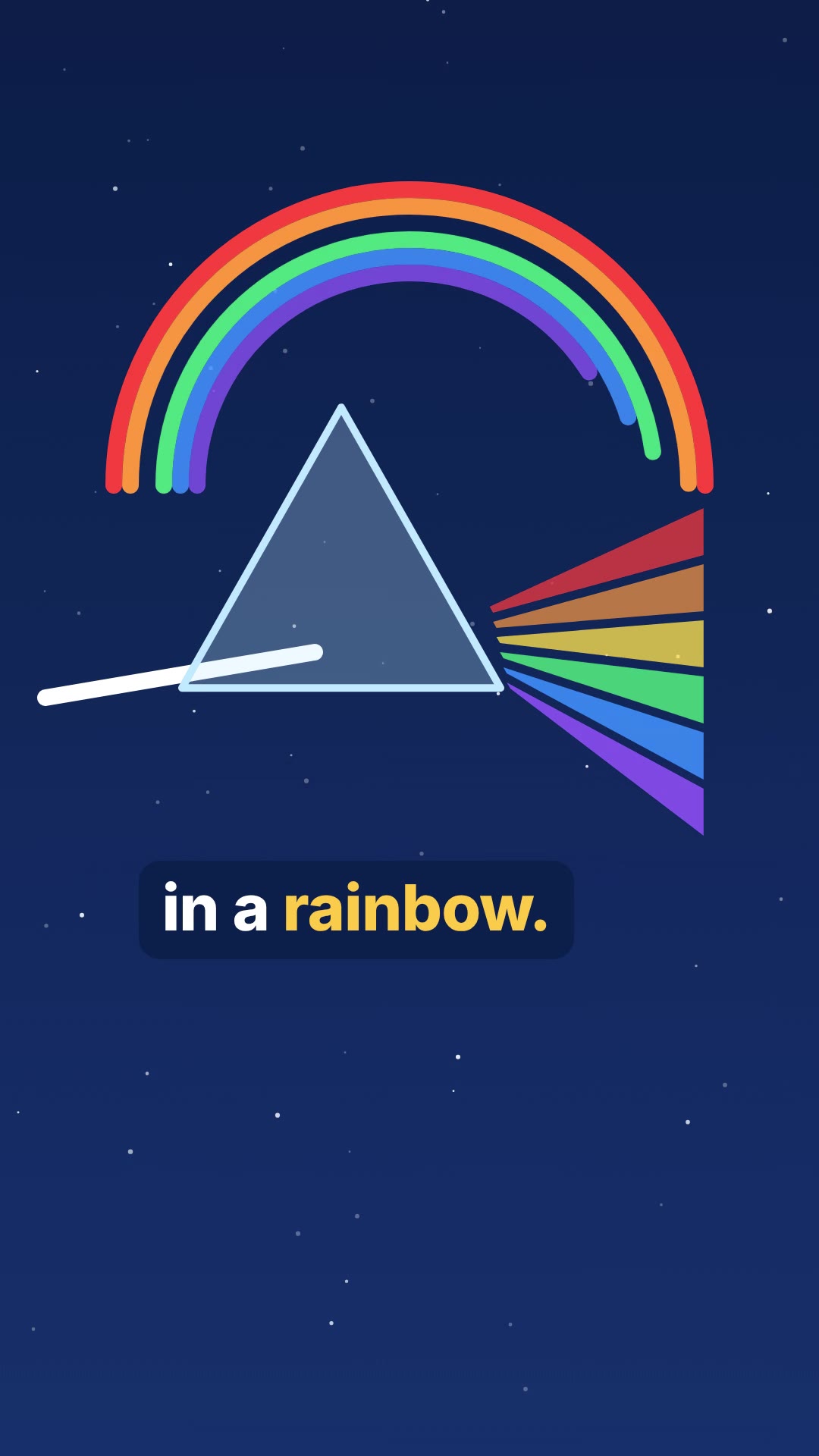
Give Claude Code one topic, "why the sky is blue", and it hands back a finished 51-second vertical video. It writes a 143-word script and records the voice with ElevenLabs. Then it draws ten animated scenes in code, timed to the spoken words, adds word-by-word captions and renders a 1080x1920 MP4. No video model is involved: every frame is HTML and SVG that Claude wrote, and HyperFrames (Apache-2.0) turns it into video on your own computer. Our explainer took 10 minutes 46 seconds. The only cost was 1,596 ElevenLabs voice credits, on our ElevenLabs account (the free plan's 10,000 a month would cover it), plus normal Claude Code use.
- About 11 minutes
- 6 steps
- ElevenLabs voice, no video model
Published · Updated
Start buildingThe whole flow is one Claude skill, make-video, in two files you can copy from this page: SKILL.md (the instructions) and voice.py (makes the ElevenLabs voice and checks it).
What you need
- Claude Code, with a Claude plan or API billing. We used a paid plan and Claude Opus 5.5.
- Node.js 22 or newer (we had v22.23.4) and FFmpeg (we had 6.1.1).
- Python 3 (we had 3.12.3).
- An ElevenLabs account and API key. The free plan's 10,000 credits a month covers tests. For videos you will publish commercially, make the voice on a paid plan: on 31 October 2026 the pricing page listed the Commercial License from Starter (30,000 credits a month) up, and not on Free.
- Recommended: faster-whisper (MIT), so
voice.pycan listen to each take and check it says the script word for word. Install it withpip install faster-whisper. It downloads the Whisper "small" model on first use. Without it,voice.pystill checks pauses and pace, but it reports "words not checked" and you have to listen to the voice yourself.
Check what you have:
node --version
ffmpeg -version
python3 --version
The steps
Step 1: Save the skill
A Claude Code skill is a folder with a SKILL.md in it. Personal skills live in ~/.claude/skills/<name>/ and work in every project (Claude Code docs). Make the folder:
mkdir -p ~/.claude/skills/make-video
Save the two files below into it as ~/.claude/skills/make-video/SKILL.md and ~/.claude/skills/make-video/voice.py.
SKILL.md:
---
name: make-video
description: Turn one topic into a finished 45-60 second vertical video (1080x1920) with a written script, an ElevenLabs voice, word-timed captions and animated scenes built in HTML with HyperFrames. No video or image model. Use when someone asks for a short video from one topic.
argument-hint: <topic, e.g. "why the sky is blue" or "a short story about a lighthouse keeper's last night">
---

# make-video

Topic: $ARGUMENTS

Make the whole video without stopping to ask questions. The person gave you one line; every choice after that is yours. Work in a new folder named after the topic (kebab-case, max 4 words) inside the current folder.

## 0. Setup check (stop with a clear message if one fails)

- `node --version` is 22 or newer, `ffmpeg -version` works, `python3 --version` works.
- `ELEVENLABS_API_KEY` is set in the environment (`test -n "$ELEVENLABS_API_KEY" && echo set`). Never print the key or write it into a file.
- `voice.py` sits next to this SKILL.md. Copy it into the project.
- Make the project: `npx -y hyperframes@0.8.221 init <folder> --resolution portrait --non-interactive`. Then read the HyperFrames skills it installs (`hyperframes`, `hyperframes-cli`, and from `hyperframes/references/`: `types/vertical.md`, `captions.md`, `motion.md`, `format.md`) before writing any scene.

## 1. Script (write `script.txt` and `plan.md`)

- Decide the kind: an explainer (answers one question) or a short story (one named character who wants something, one problem, and an ending that settles it).
- 125-150 words, which ElevenLabs reads in 45-55 s. Plain spoken sentences, mostly under 14 words. Write numbers as words ("four hundred", not "400") so the transcript check can match them.
- The first sentence is the hook and has to work on its own: a question or a surprising claim for an explainer, a person in trouble for a story.
- Explainer: use only facts you are sure of and that a school textbook would agree with. No exact figures you can't stand behind. End by answering the opening question in one line.
- Story: original characters and setting, one location, one problem, and a last line that shows how it ended. No famous characters or existing plots.
- `plan.md`: the script split into 7-10 beats (one beat = one sentence or two short ones) and, for each beat, the picture: what is on screen and what moves. Every beat gets its own picture.

## 2. Voice (before any scene, so scenes are timed to the real words)

```bash
python3 voice.py script.txt -o assets/voice.mp3 --direction "<tag>"
```

- Tag: one short tag for the whole read. Explainer: `[warm, curious, clear]`. Story: `[calm, storytelling, intimate]`. Pick your own words if the topic needs it.
- It makes 2 takes. If faster-whisper is installed, it keeps the one whose Whisper transcript matches the script best; without it, `match` is null, nothing is checked word for word, and you must listen to the take yourself. It writes `assets/voice.mp3`, `assets/words.json` (every word with start and end) and prints a JSON line.
- If the only problem is "words not checked", don't make new takes: keep going, and at the end tell the person to listen to the voice before posting.
- If `ok` is false for another reason: read `problems` in the printed line and `heard` (what Whisper wrote down) in `assets/voice.json`. A misheard name or word: first copy the untouched script to `captions.txt` (only once), then respell the word in `script.txt` for the voice, keeping the same number of words (one spoken word for one caption word), and run voice.py again for 2 new takes. At most 2 rounds (4 more takes), then keep the best take and say so at the end.
- Never speed up, slow down or stretch the audio. If the voice runs over 58 s, cut words and make new takes.
- Video length = `speechEndSeconds` + 1.0 s.

## 3. Scenes (HyperFrames, 1080x1920, 30 fps)

- From `words.json`, set each beat's start to the start time of its first word (the first beat starts at 0). One sub-composition per beat in `compositions/`, each mounted in `index.html`.
- Everything is drawn in HTML, CSS and inline SVG, animated with GSAP: shapes, diagrams, icons, characters made of simple shapes, big words. No image files, no stock, no image or video models, no web fonts from the network (use the bundled fonts).
- Look: one palette of 4-5 colours for the whole video, chosen for the topic; full-bleed colour or gradient grounds, never plain white or black; a few layers per frame (ground, texture or pattern, subject). The subject is big: it fills at least a third of the frame.
- Motion: something moves in every second. Each beat enters with a different move (scale-in, slide, wipe, draw-on stroke, morph, camera push). Put each key action on the word it illustrates, using the word times.
- Frame 0 is the thumbnail: the hook picture and the hook words are already on screen at 0.0 s.
- Keep words and the subject inside y 168-1330 px (the platform's buttons cover the rest); nothing under the right edge's last 140 px.

## 4. Captions

- One captions sub-composition (`data-track-kind="captions"`) built from `assets/words.json` as `captions.md` describes: groups of 2-4 words, one group visible at a time, the spoken word highlighted in the accent colour, white text with a dark outline or a dark pill behind it.
- Place the groups with their centre around y 1150-1250 px, under the scene's subject, fitted with `fitTextFontSize` (max width 900, base 84, min 52).
- Captions show the script's spelling, even where you respelled a word for the voice: if `captions.txt` exists, take the n-th caption word from it and the n-th word's times from `words.json`.

## 5. Check and look

- Add the voice: one `<audio id="voice" src="assets/voice.mp3">` clip in `index.html` from 0 for the whole length.
- `npx hyperframes lint`, then `npx hyperframes check --json`: fix every error; fix contrast and caption overlaps.
- `npx hyperframes snapshot --at <the middle of every beat, plus 0.0 and the last second>` and look at every PNG. Fix: empty or mostly empty frames, a subject smaller than a third of the frame, text cut off, captions over the subject, a beat that looks like the one before it.

## 6. Render and finish

```bash
npx hyperframes render --quality delivery --output renders/raw.mp4
ffmpeg -y -i renders/raw.mp4 -af loudnorm=I=-14:TP=-1.5:LRA=11 -c:v copy -c:a aac -b:a 192k renders/<folder>.mp4
```

- Confirm with `ffprobe` that it is 1080x1920 and its length matches the root `data-duration`.
- Grab 6 frames from the final file (`ffmpeg -ss <t> -i renders/<folder>.mp4 -frames:v 1 ...`) and look at them: captions present, matching the voice at that moment.
- Tell the person: the path to the video, its length, the script, the kept take and its match % (or that it was not transcript-checked), ElevenLabs credits used, and anything you could not fix.
- Don't leave a preview server or render running.
voice.py:
#!/usr/bin/env python3
"""Voice a whole short-video script with ElevenLabs: 2 takes, keep the one whose transcript matches best.

    export ELEVENLABS_API_KEY="paste-your-key-here"
    python3 voice.py script.txt -o assets/voice.mp3 [--voice RXtWW6etvimS8QJ5nhVk]
        [--direction "[warm, curious, clear]"] [--takes 2] [--reuse]

The direction tag goes in front of the script (ElevenLabs v4 reads it as a direction, not as words,
but bills its characters). Audio is never sped up or stretched.
For each take: Whisper (faster-whisper, if installed) writes down what it hears; match % = script words heard
in order, divided by the longer of the script and the transcript, so missing words and extra words both lower it. We also flag a pause over 1.2 s, a pace outside 2.2-3.6 words/s
and a start or end cut mid-sound. The kept take: best match, then fewest problems, then closest to 2.8 words/s.
Every take on disk for this output that was made from the same script text (saved next to it as voice-takeN.txt)
is compared, earlier runs too, so a better earlier take is never lost and a take of an older script never wins.
Without faster-whisper nothing checks the words: ok is false with the problem "words not checked", and you must listen.
Writes the kept take to -o, every take next to it (voice-take1.mp3 ...), and assets/words.json:
[{"id": "w0", "text": "Why", "start": 0.12, "end": 0.31}, ...] from ElevenLabs' own timing, for captions.
Prints one JSON line with the summary. Exit 1 if the best take matches under 97 % or has problems."""
import argparse, base64, difflib, json, math, os, re, shutil, subprocess, sys, urllib.error, urllib.request

p = argparse.ArgumentParser()
p.add_argument("script", help="a text file with the narration, plain sentences")
p.add_argument("-o", "--out", required=True)
p.add_argument("--voice", default="RXtWW6etvimS8QJ5nhVk", help="ElevenLabs voice ID (default: Fiona)")
p.add_argument("--direction", default="[warm, curious, clear]")
p.add_argument("--model", default="eleven_v4")
p.add_argument("--takes", type=int, default=2)
p.add_argument("--reuse", action="store_true", help="pick again from takes already on disk, no credits")
a = p.parse_args()

text = " ".join(open(a.script).read().split())
KEY = os.environ.get("ELEVENLABS_API_KEY")
if not KEY and not a.reuse:
    sys.exit("ELEVENLABS_API_KEY is not set. Make a key at elevenlabs.io (Developers > API keys), then run\n"
             '  export ELEVENLABS_API_KEY="paste-your-key-here"\nin this terminal. Never write the key into a project file.')


def tts(path):
    body = {"text": f"{a.direction} {text}".strip(), "model_id": a.model,
            "voice_settings": {"stability": 0.5, "similarity_boost": 0.75}}
    req = urllib.request.Request(
        f"https://api.elevenlabs.io/v1/text-to-speech/{a.voice}/with-timestamps?output_format=mp3_44100_128",
        data=json.dumps(body).encode(), headers={"xi-api-key": KEY, "Content-Type": "application/json"})
    try:
        with urllib.request.urlopen(req, timeout=300) as r:
            data, cost = json.load(r), r.headers.get("character-cost")
    except urllib.error.HTTPError as e:
        sys.exit(f"ElevenLabs said {e.code}: {e.read().decode()[:300]}")
    open(path, "wb").write(base64.b64decode(data["audio_base64"]))
    al = data.get("alignment") or data["normalized_alignment"]
    words, cur, inside = [], None, False          # characters -> words, skipping the [direction] tag
    for c, t0, t1 in zip(al["characters"], al["character_start_times_seconds"], al["character_end_times_seconds"]):
        if c in "[]": inside = c == "["; cur = None; continue
        if inside or c.isspace(): cur = None; continue
        if cur is None: cur = [c, t0, t1]; words.append(cur)
        else: cur[0] += c; cur[2] = t1
    words = [{"id": f"w{i}", "text": w, "start": round(s, 3), "end": round(e, 3)} for i, (w, s, e) in enumerate(words)]
    json.dump(words, open(path[:-4] + ".words.json", "w"))
    open(path[:-4] + ".txt", "w").write(text)       # which script this take says
    return int(cost or len(body["text"]))


def pcm(path):
    raw = subprocess.run(["ffmpeg", "-v", "error", "-i", path, "-ac", "1", "-ar", "16000", "-f", "s16le", "-"],
                         capture_output=True, check=True).stdout
    return [int.from_bytes(raw[i:i + 2], "little", signed=True) / 32768 for i in range(0, len(raw) - 1, 2)]


def norm(t):                                   # "colour" = "color", "sky's" = "skys"
    t = re.sub(r"our\b", "or", t.lower().replace("-", " ").replace("'", ""))
    return re.sub(r"[^a-z0-9 ]", " ", t).split()


try:
    from faster_whisper import WhisperModel
    import numpy as np
    whisper = WhisperModel("small", device="cpu", compute_type="int8")
except ImportError:
    whisper = None
    print("note: faster-whisper is not installed, so takes are not transcribed (pip install faster-whisper)", file=sys.stderr)

stem = a.out.rsplit(".", 1)[0]
folder = os.path.dirname(a.out) or "."
os.makedirs(folder, exist_ok=True)
every = sorted(int(m.group(1)) for f in os.listdir(folder)
               if (m := re.fullmatch(re.escape(os.path.basename(stem)) + r"-take(\d+)\.mp3", f)))
def same_script(k):
    try: return " ".join(open(f"{stem}-take{k}.txt").read().split()) == text
    except FileNotFoundError: return False
have = [k for k in every if same_script(k)]  # only takes of this exact script
new = [] if a.reuse else list(range(max(every, default=0) + 1, max(every, default=0) + a.takes + 1))
takes, billed = [], 0
for k in have + new:                           # judge every take, old and new
    path = f"{stem}-take{k}.mp3"
    if k in new:
        billed += tts(path)
    x = pcm(path)
    db = [10 * math.log10(sum(v * v for v in x[i:i + 160]) / 160 + 1e-12) for i in range(0, len(x) - 160, 160)]
    loud = [i for i, d in enumerate(db) if d > -40]
    first, last = loud[0] / 100, (loud[-1] + 1) / 100
    longest, run = 0, 0
    for d in db[loud[0]:loud[-1]]:
        run = run + 1 if d <= -40 else 0
        longest = max(longest, run)
    wps = len(norm(text)) / max(last - first, 0.1)
    problems = []
    if longest > 120: problems.append(f"pause of {longest / 100:.1f} s")
    if db[0] > -45 or db[-1] > -45: problems.append("starts or ends mid-sound")
    if not 2.2 <= wps <= 3.6: problems.append(f"pace {wps:.1f} words/s")
    heard, match = None, None
    if not whisper: problems.append("words not checked (faster-whisper not installed): listen before using")
    if whisper:
        segs = whisper.transcribe(np.array(x, dtype=np.float32), language="en", condition_on_previous_text=False)[0]
        heard = " ".join(s.text.strip() for s in segs)
        sm = difflib.SequenceMatcher(None, norm(text), norm(heard), autojunk=False)
        match = round(100 * sum(b.size for b in sm.get_matching_blocks()) / max(len(norm(text)), len(norm(heard))), 1)
    dur = len(x) / 16000
    takes.append({"take": path, "durationSeconds": round(dur, 2), "speechEndSeconds": round(last, 2),
                  "wordsPerSecond": round(wps, 2), "match": match, "heard": heard, "problems": problems})
    print(f"take {k}: {dur:.1f} s, {wps:.2f} words/s, match {match} %, " + ("; ".join(problems) or "no problems"), file=sys.stderr)

if not takes: sys.exit(f"no takes of this script found next to {a.out}")
best = min(takes, key=lambda t: (-(t["match"] or 0), len(t["problems"]), abs(t["wordsPerSecond"] - 2.8)))
shutil.copy(best["take"], a.out)
shutil.copy(best["take"][:-4] + ".words.json", os.path.join(folder, "words.json"))
ok = not best["problems"] and (best["match"] is None or best["match"] >= 97)
summary = {"ok": ok, "file": a.out, "words": os.path.join(folder, "words.json"), "kept": best["take"],
           "durationSeconds": best["durationSeconds"], "speechEndSeconds": best["speechEndSeconds"],
           "match": best["match"], "wordsChecked": whisper is not None, "problems": best["problems"], "creditsBilled": billed,
           "takes": [{k: t[k] for k in ("take", "match", "wordsPerSecond", "problems")} for t in takes]}
json.dump({**summary, "heard": best["heard"], "voice": a.voice, "model": a.model, "direction": a.direction},
          open(stem + ".json", "w"), indent=1)
print(json.dumps(summary))
sys.exit(0 if ok else 1)
voice.py makes two takes of the whole script. With faster-whisper installed, it has Whisper write down each take and keeps the one closest to the script; missing and extra words both count against a take. It also compares earlier takes of the same script, and ignores takes of an older version. The skill pins HyperFrames 0.8.221, the version we used, and the ElevenLabs model eleven_v4. Its default voice is "Fiona" from the ElevenLabs Voice Library (ID RXtWW6etvimS8QJ5nhVk). To use another voice, change the --voice default in voice.py to that voice's ID.
Step 2: Put your ElevenLabs key in the terminal
In ElevenLabs, go to Developers, then API keys, and make a key. In the terminal you will start Claude Code from:
export ELEVENLABS_API_KEY="paste-your-key-here"
Claude Code started from this terminal can use the key. Don't paste it into a project file or into the chat.
Step 3: Ask for the video
Make an empty folder and open Claude Code in it:
mkdir videos && cd videos
claude
Type this, with your topic at the end:
Read ~/.claude/skills/make-video/SKILL.md and follow it exactly. The topic is: why the sky is blue
Claude works through the skill without asking you anything. Its first hyperframes init installs the HyperFrames skills for AI agents (on our machine they went to ~/.agents/skills) and says to start a new agent session so they load. If Claude can't find them, open a new Claude Code session and type the line again. For our explainer, the steps took this long:
Expect 10 to 12 minutes. Claude makes the project, writes and voices the script, builds the scenes, fixes what lint and check find, then renders.
It finished at 10 minutes 46 seconds with the path to the video, the script, the kept take and the credits used.
Step 4: Watch it and read the script
Watch the whole video with sound. For an explainer, read script.txt and check every claim yourself before you post. We checked our sky script against NASA's explanation: white light is a mix of colours, air scatters short blue waves more than long red ones, and sunsets turn red because the light crosses more air. NASA's page doesn't cover the violet line (less violet in sunlight, eyes less sensitive to it), so that's the one to check in a second source.
Look for empty frames too. Ours has one: at about 10 seconds the screen is blank except for the caption "Each colour travels", for under a second, until the wave draws in. We left it, but you can fix one like it with a note (step 6).
Step 5: Try a different kind of topic
The same request works for a story. We ran:
Read ~/.claude/skills/make-video/SKILL.md and follow it exactly. The topic is: a short story about a lighthouse keeper's last night before the light goes automatic
Claude wrote a 149-word story about Walt, a keeper who saves a fishing boat on the night before a machine replaces him, and drew it in a darker palette: a striped lighthouse, a storm, a jammed lens turned by hand. Its first voice take matched the script 97.3 % and was kept. It finished in 12 minutes 13 seconds, plus the 3 minute 45 second note round from step 5.
Step 6: Send a note if a scene is weak
Type what you see and when, in plain words, in the same project. Our story video (step 5) had two weak spots, so we sent this note. Claude edited the scenes, kept the voice and rendered again in 3 minutes 45 seconds:
Two fixes, keep everything else. 1) Around 5-8 s the word NINETY spills outside its little circle; make it fit. 2) From 8 to 12 s (polishes the lens, winds the clock, watches the sea) the icons are small in the top corner and the middle of the screen is empty. Make each action big in the middle of the frame while it's said. Then render again.
Ask for picture changes only, so the voice stays as it is and costs no new credits. If you change the words, Claude has to make new takes.
The result
| Sky explainer | Lighthouse story | |
|---|---|---|
| Topic | why the sky is blue | a short story about a lighthouse keeper's last night before the light goes automatic |
| Video | ||
| Length | 51.2 s | 55.1 s |
| Size, format | 1080x1920, 30 fps, H.264 + AAC | 1080x1920, 30 fps, H.264 + AAC |
| Loudness | -14.3 LUFS, peak -0.9 dB | -14.5 LUFS, peak -1.1 dB |
| ElevenLabs credits | 1,596 | 1,674 |
| Time to finished file | 10 min 46 s | 12 min 13 s, then 3 min 45 s for one note |
If something looks off
- "ELEVENLABS_API_KEY is not set": run the
exportline from step 2 in the terminal, then start Claude Code again from that same terminal. - Credits used are about twice the script's length: that's normal, because both takes are billed, plus the short direction tag at the start of each.
voice.pyreports a match under 97 %: openassets/voice.jsonand readheard, which is what Whisper wrote down. Usually Whisper wrote a number as digits or a word in American spelling.voice.pyalready treats "colour" and "color" as the same; the skill tells Claude to write numbers as words. For a real mishearing, the skill tells Claude to respell the word for the voice and make two new takes.- Lint error
gsap_non_transform_motion: an animation changes a layout property such as letter spacing. Ask Claude to animate it with movement, scale, opacity or blur instead. Our story's "TOMORROW" title hit this. - Check warning
line_unread: a line is on screen for less than 2 seconds. Ask for it to appear earlier. Both our videos hit this on their last line. - A thing in the wrong place, such as a boat sitting on a hill: the skill has Claude look at a snapshot of every beat, and that's how ours was found and fixed. If one slips through, describe it with its time, as in step 5.
- Text spills out of its shape, or the middle of the screen is empty while small icons sit in a corner: send a note like the one in step 6.
Credits and licences
- Claude Code by Anthropic: wrote the scripts, the scenes and the fixes. Paid plan or API billing.
- HyperFrames 0.8.221 by HeyGen: Apache-2.0. Renders the HTML to MP4 locally.
- GSAP 3.14.2: Webflow's Standard "No Charge" licence, which covers commercial use. Loaded by the HyperFrames page from jsDelivr.
- FFmpeg: LGPL/GPL. Loudness and checks.
- faster-whisper 1.2.1: MIT. The Whisper "small" model is MIT too. Optional transcript check.
- Fonts in our videos: Inter and Playfair Display, both SIL Open Font License 1.1.
- Voice: ElevenLabs, model Eleven v4, voice "Fiona". Paid service; free plan for tests, paid plan for commercial use.
SKILL.mdandvoice.pyon this page: written by us for this guide, free to copy and change.
How we tested
We built and ran everything on a Linux server on 31 October 2026, with the voices made on our ElevenLabs account. Claude Code was 2.1.316 with Claude Opus 5.5. Each video ran in a fresh Claude Code agent session given the request from step 3. Claude Code also offers personal skills as slash commands (skills docs), but we used the full request.
| Topic | Script words | Takes (match) | Fixes Claude made on its own | Notes from us | Total time |
|---|---|---|---|---|---|
| Why the sky is blue | 143 | 100 %, 100 % | 3 (contrast, short last line, overlapping animation) | 0 | 10 min 46 s |
| Lighthouse keeper's last night | 149 | 97.3 %, 96.6 % | 5 (lint error, short last line, boat position, title wrap, missing sea) | 1 | 16 min |
Before the two videos we tested voice.py on one sentence. Whisper wrote "color" for "colour" and the match came out at 90.9 %, so we made the comparison ignore British and American spelling. Match scores in the table come from the voice.py on this page, run on the same takes with --reuse (no new credits). Renders took 50 to 64 seconds each on a CPU with no GPU.
Questions people ask
Is this an AI video generator like Sora or Veo?
No. No video or image model is involved. Claude Code writes the script and then draws every scene itself in HTML and SVG, animated with GSAP. HyperFrames records that page into an MP4 on your computer. You get diagrams, shapes, simple characters and big words, not filmed or photoreal footage.
What does one video cost?
The render is free. The voice used 1,596 ElevenLabs credits for our 51-second explainer and 1,674 for our 55-second story, because both voice takes are billed. The free ElevenLabs plan gives 10,000 credits a month, enough for about six videos, but it doesn't include a commercial licence. Claude Code needs a Claude plan or API billing; we used a paid plan.
Can I post the videos on a monetised channel?
Use a paid ElevenLabs plan for that. On 31 October 2026 the pricing page listed the Commercial License from the Starter plan up, and the free plan without it. HyperFrames (Apache-2.0) and GSAP's no-charge licence both allow commercial use.
How long does it take?
Our explainer took 10 minutes 46 seconds from the request to a finished file, and our story took 12 minutes 13 seconds. We sent the story one note afterwards, which took another 3 minutes 45 seconds. You don't need to watch while it works.
Will the facts be right?
The skill tells Claude to use only facts a school textbook would agree with and to leave out exact figures it can't stand behind. Our sky script matched NASA's explanation on every point NASA covers, but read every script before you post it. Stories can contain facts too (how a lighthouse works, a place, a date), so check those the same way.
Read it on your computer
Keep this guide for later.
We'll send you this page's link and the other free guides.